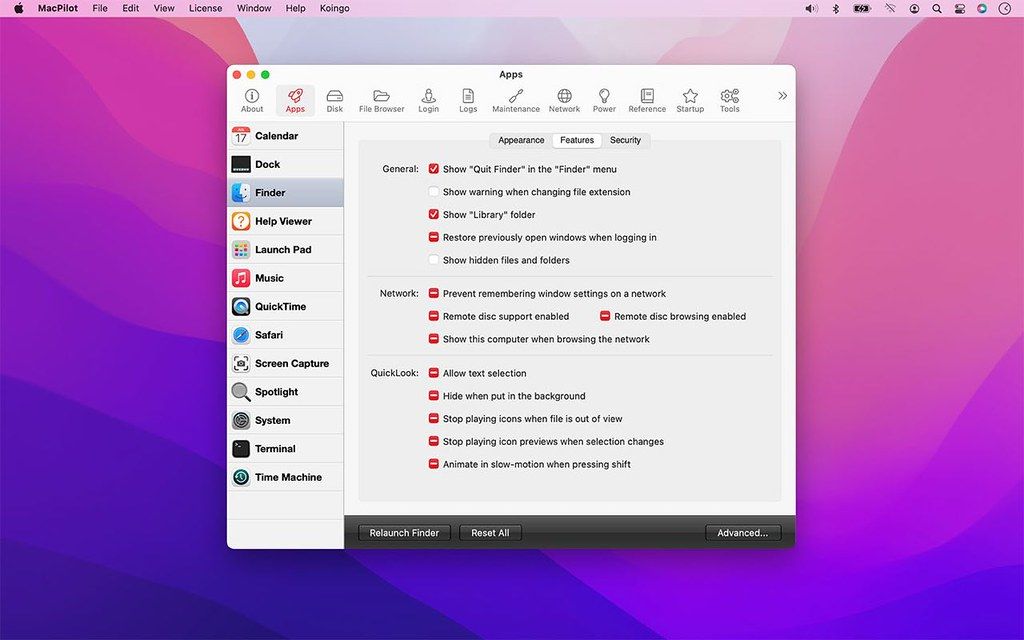
MacPilot
MacPilot gives you the power of UNIX and the simplicity of Macintosh, which means a phenomenal amount of untapped power in your hands! Use ...
- Intel, 64-bit processor
- macOS 13.0 or later
Description
MacPilot gives you the power of UNIX and the simplicity of Macintosh, which means a phenomenal amount of untapped power in your hands! Use MacPilot to unlock over 1,200 features, and access them all with the easy and familiar Macintosh user interface. No command line tools or complicated file operations!
Display hidden files in the Finder, disable the startup chime, add spacers and stacks to the Dock, change the
screenshot
file format, run maintenance tools, tweak network settings, force empty the Trash, and tons more. Keep yourself in awe and busy for days as you discover how much Mac OS X has “under the hood”.
Get out of the passenger seat and take control of your Mac. Set your login window picture, use the screensaver as your Desktop, modify advanced file permissions (ACL), change the system welcome message, enable simultaneous recordings in QuickTime, view system logs, or enable the Debug menu in numerous apps.
Or perhaps you’re feeling the need for a simpler lifestyle? Disable the Notification Centre, virtual memory, Dashboard and iCloud saving. Ditch time-wasting graphical animations, prevent system sleep, suspend Safari’s web caching, disable App Nap, remove the downloaded files warning message, and more!
WHAT’S NEW
Version 18.0.1:
• Enhancement: Improved file date handling so creation, access, and backup dates remain consistent with Finder and the current time zone.
• Enhancement: Improved the reliability and accuracy of command progress, failure, and cancellation reporting.
• Enhancement: Improved safety when editing protected preferences, property lists, logs, Trash contents, NVRAM settings, and login pictures.
• Enhancement: Improved the reliability of the Features Database, property list editor, Hex editor, File Browser, Manuals viewer, and I/O Benchmark.
• Bug Fix: File creation dates now display using the correct local time instead of appearing shifted by the time-zone offset.
• Bug Fix: File access and backup dates are now read and writte






Screenshots