MacCleanse
MacCleanse is the product of thousands of hours of intense research and development. It meticulously scans all of the nooks and...
- Intel, 64-bit processor
- macOS 13.0 or later
Description
MacCleanse is the product of thousands of hours of intense research and development. It meticulously scans all of the nooks and crannies of a computer for unnecessary junk that can take up huge amounts of disk space!
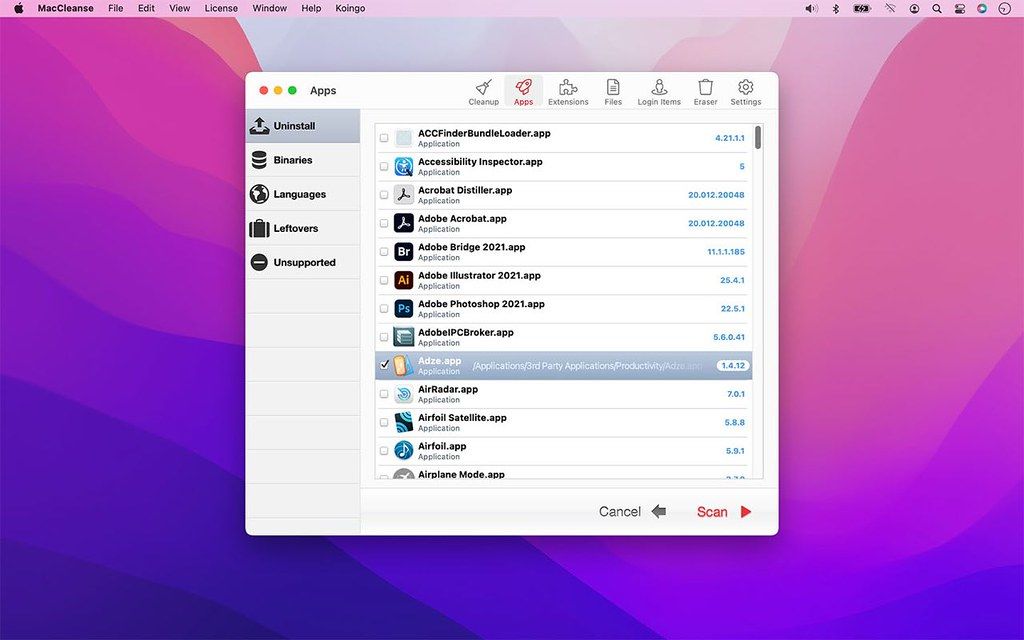
Because of this, Apps in MacCleanse are also uninstalled correctly, catching the numerous logs, caches, plugins, and other resources left behind versus simply dragging them to the Trash. Your privacy is protected and computer performance enhanced by MacCleanse as it wipes your web and app histories, and can toggle resource-hungry extensions!
Web & App Histories
Erase app & web histories, cookies, caches, logs, and auto-fill values to both save disk space and protect your privacy.
Extension Manager
Enable or disable screen savers, web browser plugins, preference panes, login items, and system plugins on the fly; only loading them when you need them to save system resources.
Ditch Duplicates
Using the most sophisticated and safe algorithm in the industry, MacCleanse can identify and flag duplicate copies of files.
Login Items
Identify and disable unwanted login items that could be slowing down system startup times or hogging background CPU usage.
Slim Apps
Cut the fat out of installed apps by removing unused language packs and trimming off legacy PowerPC binary data.
Orphans
Find junk left behind by apps that were incorrectly uninstalled in the past.
WHAT’S NEW
Version 15.0.1:
• Release notes were unavailable when this listing was updated.
REQUIREMENTS
• Intel, 64-bit processor
• macOS 13.0 or later
ScreenShots
If you are using Adblocker!! Please support this website by adding us to your whitelist. Ads are what helps us bring you premium content! Or read this to know how you can support us. Thank you!
•
Size
– 96.8MB
Previous Versions






Screenshots