Kyoobik Photo
The exploration into photo editing has led you to Kyoobik Photo (pronounced cubic), the photo app that turns your mundane photo into a geometric...
Description
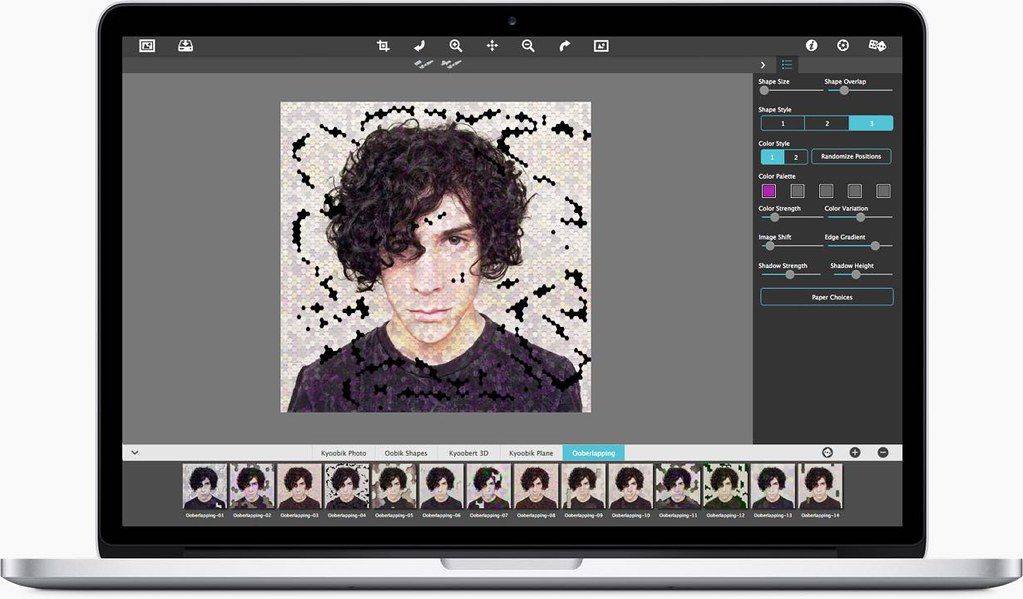
The exploration into photo editing has led you to Kyoobik Photo (pronounced cubic), the photo app that turns your mundane photo into a geometric gridded tiled image. Gridded image? Sounds straight to the point, but the amazing turns and slides you can take with this app will not only turn your photo into a custom work of art but will also can take you back to the 1960’s with its pop-art attitude style.
This app you goes way beyond the columns and rows of a grid. The effect will immediately grid your image with a simple click. However, you can opt to take it to the next level and break out of four walls! Choose a framework for your image with spheres, triangles, or even hexagons. Everything can be controlled from here on out with a simple sliders.
A quick and fast way to create a tiled work of art with control over shape style and
size
. Easily adjust spacing between the tiled shapes with a handy slider with options to stroke each shape with a colored border. For added variation change the hue for a monochromatic style or choose earth tones for a retro look—the tone and color of your photo is up to you. Finish off the Kyoobik creation with drop shadows for 3d popping dimension.
• Kyoobik Photo—lets you choose one shape like a square, rectangle, triangle or octagon then tiles your image into rows and columns keeping them evenly distributed with options for image toning and drop shadows
• Oobik Shapes—this cool effect lets you choose from a list of shapes like flowers, circles or gears then divides your image into an abundance of
size
variations both large and small with options to add a kaleidoscope of color for wow factor
• Kyoobik Plane—divides the image into even three-dimensional domino-like shapes then perspectively levels the pieces into a horizontal plane
• Kyoobert 3D—divides the photo into 3D geometric shapes then evenly distributes them for a photo popping with dimensional pattern
• Ooberlapping Shapes—lets you choose from three two-dimensional shaded
Related apps






Screenshots