Jettison
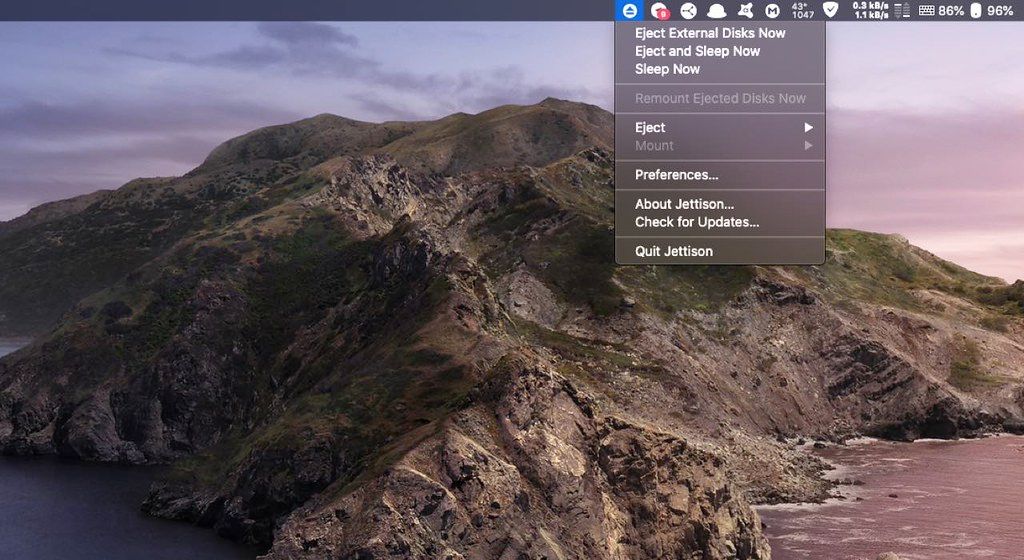
Jettison automatically ejects external disks from your Mac before your computer goes to sleep. Simplify those last few seconds when...
- Intel, 64-bit processor
- macOS 10.13 or later
Description
Jettison automatically ejects external disks from your Mac before your computer goes to sleep.
Simplify those last few seconds when you grab your MacBook and run out the door. Just close the lid and Jettison will automatically eject your backup drive, iPod, or whatever is connected so you can safely unplug it. Say goodbye to “disk was not ejected properly” errors and waking your computer back up because you forgot to eject everything.
Jettison even makes sure that Time Machine backups and file server volumes are properly shut down before they’re removed. Your backups and shared files are safe and sound.
And what if you decide not to leave, and open your MacBook back up? Jettison will check to see if your drives are still connected and will mount them back on the Desktop if they’re there.
WHAT’S NEW
Version 1.9.6:
• Jettison includes an option to display the number of ejectable disks next to its menu bar icon.
• Error messages include the name of the offending process when something is preventing a disk from being ejected.
• macOS 26.4 aggressively remounts disks when waking from sleep. Jettison prevents that for disks selected in its “Don’t remount these disks” setting.
• Some system processes (QuickLookSatellite, mds_stores, systemmigrationd) can prevent disks from being ejected. To work around the problem, Jettison can terminate them before your Mac sleeps. Use this command in Terminal to enable this: defaults write com.stclairsoft.Jettison terminateSystemProcesses 1
• Remounting network volumes works reliably even after a volume has been disconnected unexpectedly.
• When you remove a keyboard shortcut, that is correctly reflected in Jettison’s menu.
• Fixed a situation where the progress window could get left on screen.
• The Fn (globe) key can be used in keyboard shortcuts.
• Added support for volumes mounted over NFS.
REQUIREMENTS
• Intel, 64-bit processor
• macOS 10.13 or later
ScreenShots
If you are using Adblocker!! Please support t






Screenshots