iWatermark Pro
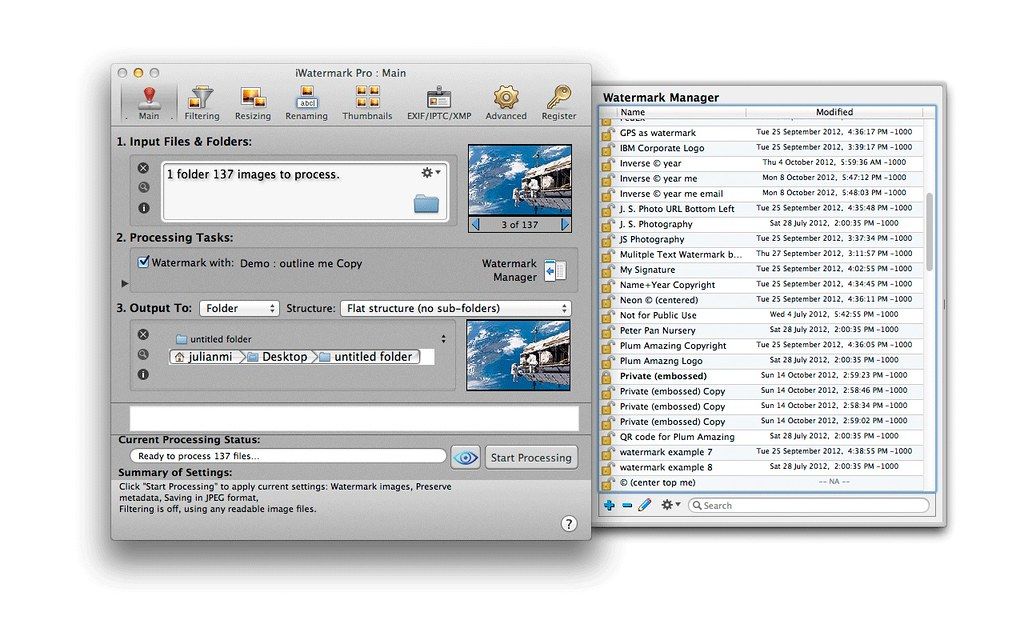
iWatermark Pro The Essential Watermarking App for Professionals, Business and Personal Use. iWatermark, is the No. 1 and only watermarking tool...
Description
iWatermark Pro – The Essential Watermarking App for Professionals, Business and Personal Use.
iWatermark, is the No. 1 and only watermarking tool available for all 4 platforms iPhone/iPad, Mac, Android and Windows. iWatermark is the most popular professional watermarking tool for photos.
Easily, secure and protect your photos with a text, graphic, signature or QR watermark. Once added to a photo this visible watermark displays it is created and owned by you.
Features
• Works with Lightroom, Photoshop, Picasa, ACDSee, iPhoto, Aperture and other photo organizers
• Batch processing or sequential
• Input/Output to all major file types JPEG, TIFF, PNG, RAW, etc.
• Create text, graphic, or QR watermarks
• Adjust opacity, font, color, border, scale, rotation, shadow, special effects, etc.
• Use metadata (GPS, Exif, XMP) as watermarks
• Design, edit and manage a library of watermarks
• Export watermarks and use in the Mac version
• Fast 64 bit multi-threaded multiple CPU/GPU’s
• User selectable color profiles
• Add, remove and edit metadata (EXIF, GPS and XMP).
• Unlimited fonts
• Great Manual and support
• Share to Facebook, Flickr, Instagram, Twitter and many more
• Always being improved
A watertmark is like signing your name to a photo and subtly displays it’s yours.
Why Watermark?
• Digitally sign your photos/artwork with iWatermark to claim, secure and maintain your intellectual property and reputation.
• Build your company brand, by having your company logo on all your images.
• Avoid the surprise of seeing your photos and/or artwork elsewhere on the Web or in an ad.
• Avoid the conflicts and headaches with plagiarists who claim they didn’t know that you created it.
• Avoid the costly litigation that can be involved in these cases of misuse of ip.
• Avoid intellectual property squabbles.
iWatermark maintains meta tags, uses many input/output formats and can also create thumbnails. It can batch process single files or folders and more.
WHAT’S NEW
Versi






Screenshots