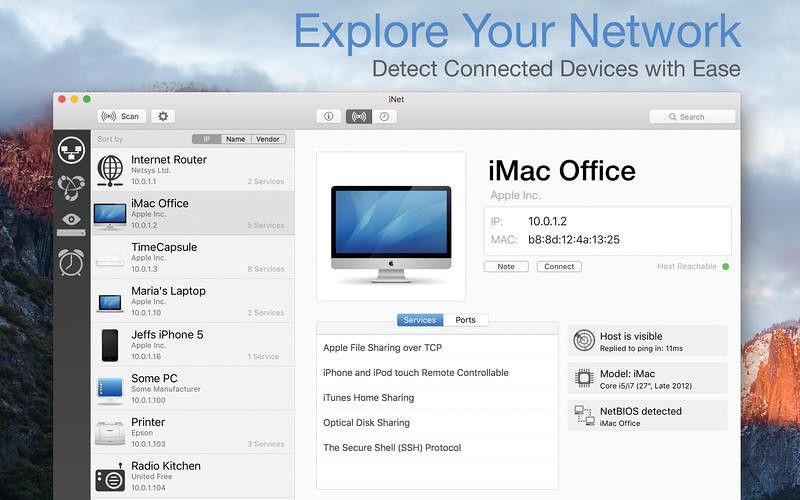
iNet
iNet provides you with information about networks your Mac is connected to. Its very easy and user friendly design allows even the...
- Intel, 64-bit processor
- macOS 11.0 or later
Description
Scan your network, identify devices by icon, IP, and MAC, check ports and services, and wake Macs via Wake on LAN.
No cloud. No tracking. No subscriptions. Local only.
iNet – Know Your Network. Take Control.
Ever wondered who’s on your Wi-Fi or what services are running on your local network? iNet reveals it all — clearly and instantly.
Designed for both tech experts and everyday users, iNet helps you monitor, analyze, and manage your network with ease.
Find out which devices are connected, view open ports and services, and even wake up sleeping Macs remotely. You can rename and customize devices with your own icons for easy recognition.
Network Scanner
• See all devices connected to your network — including IP, MAC, and more
• Customize devices with names and icons for fast identification
• Set IP scan ranges and network interfaces
• Export scan results (CSV or PDF)
• Connect via SSH, VNC, or HTTP
Bonjour Monitor
• Real-time view of all Bonjour services
• See which services are running on specific devices
• Get detailed info per service and per domain
Wake on LAN
• Wake Macs and PCs over LAN or Internet
• Sleep, shut down, or restart Macs remotely
• Use SSH commands
• Build a favorites list for quick access
Airport Monitor
• Live status of Apple Airport base stations
• Real-time traffic and WLAN quality graphs
• Device-specific signal strength
• Full Airport base station details
Note: No support for the latest 802.11ac Airport models (due to Apple removing SNMP)
WHAT’S NEW
Version 4.0.4:
• Enhanced] Improved manufacturer detection with access to MAC addresses in iOS 27
• [Enhanced] Faster port scanning
• [Added] Quick access to port scan settings by tapping the header of the ports list
REQUIREMENTS
• Intel, 64-bit processor
• macOS 11.0 or later
ScreenShots
If you are using Adblocker!! Please support this website by adding us to your whitelist. Ads are what helps us bring you premium content! Or read this to know how you






Screenshots