iMazing
iMazing is the world’s favourite iOS device manager for Mac and PC. Millions of users every year leverage its powerful capabilities to...
- Intel, 64-bit processor
- OS X 10.11 or later
Description
iMazing is the world’s favourite iOS device manager for Mac and PC. Millions of users every year leverage its powerful capabilities to make the most of their personal or business iPhone and iPad.
Often called ‘The Swiss Army Knife of iPhone Management’, iMazing offers a wide variety of features:
• Time-Machine style local backups, on your schedule, via USB or Wi-Fi and to the storage location of your choice.
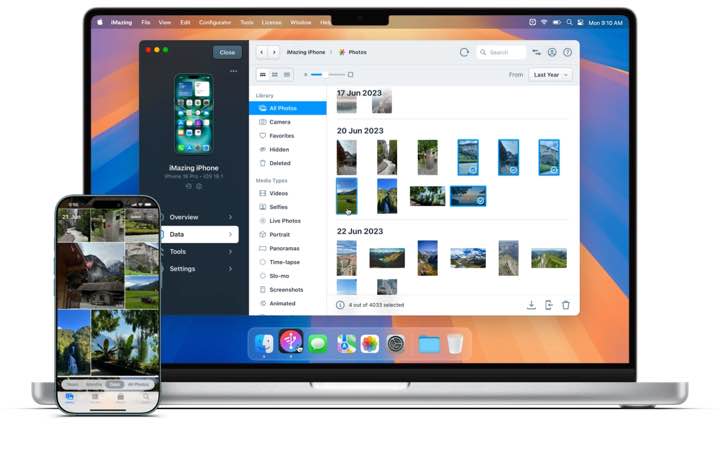
• Live browsing of the iPhone’s photo library. Preview and save hidden assets (originals of edited items, frames of bursts, videos of Live Photos).
• Accurate PDF or Excel exports of Messages and WhatsApp chats, including attachments.
• Other exports: music, files, contacts, calendars, notes, voicemail, call logs, voice memos, safari data, books.
• Transfer to device: music, videos, photo albums, books, files.
• Device to device data migration.
• Advanced admin tools: supervision, single app mode, configuration profiles, OS restore, console, battery diagnostics.
• And other amazing things you never thought possible!
WHAT’S NEW
Version 3.5.2:
Support for New Devices
• Added support for iPhone 17e and iPad Air M4
• Added support for MacBook Air M5, MacBook Pro M5 Pro/Max, and MacBook Neo when in recovery or DFU mode
User Interface
• Device view sidebar is now collapsible
• Home screen devices and backups sections: Added column customization in list view, allowing you to choose which device or backup properties are displayed
• Refreshed iMazing icon for macOS 26
New Tools
• Screen recording – Mirror and record the device’s screen in high resolution using H.264 format over USB (macOS only)
• File system search – Search for files and folders in devices and backups with wildcard support (*)
• Export battery diagnostic – Export full battery diagnostic as JSON (.json) or Plist (.plist) file
• Device console – Open the device console in macOS Terminal or Windows Command Prompt for better performance
• Enable IDAM (inter-device audio and MIDI) – In this mode,






Screenshots