iconStiX
iconStiX is an easy-to-use, fundamental icon tool that allows users to combine and attach images to desktop items. iconStiX is a simple...
Description
iconStiX is an easy-to-use, fundamental icon tool that allows users to combine and attach images to desktop items.
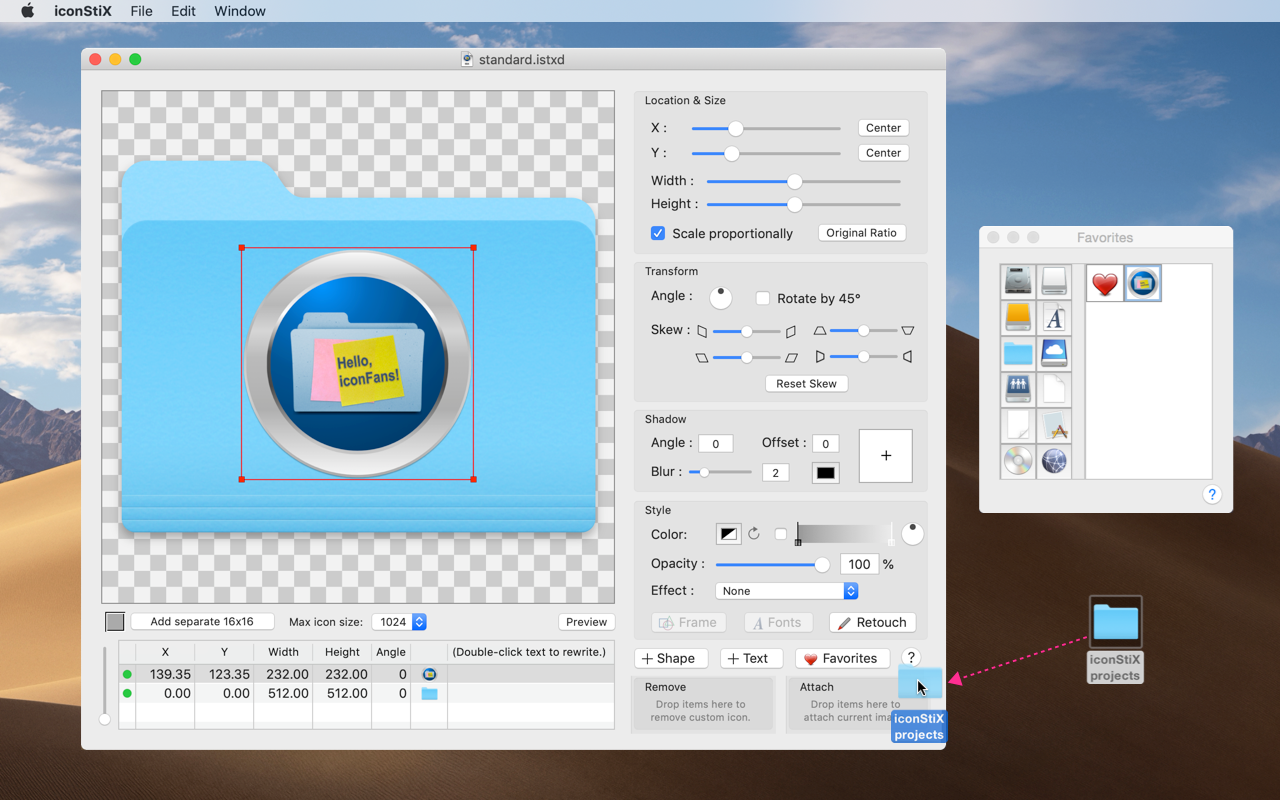
iconStiX is a simple program to combine images and attach composition as custom icon to desktop items such as folder. It is cooperated with the Finder’s services, so that you can select “Open iconStiX” in the Finder’s contextual menu to start the program.
It supports basic functions such as
• adding multiple objects (image, shape and text) and overviewing them in a table
• moving, resizing, rotating, skewing, coloring and shadowing objects
• attaching/removing custom icons
• saving documents (as template)
• exporting composition as images (icns, png, tiff)
• keeping favorite icon images for quick access.
WHAT’S NEW
Version 4.5:
• Option “Add thumbnail icons on saving iconStiX templates (.istxd) is added to the Settings.
• Menu item “Show Thumbnail Tool” is added under the “Window” menu so that you can attach thumbnails to the existing iconStiX files (.istxd & .istx) without opening & resaving them individually.
• Three items under the “File” menu: “Duplicate”, “Rename…” and “Move To…”.
• Bug fixing and internal adjustments.
REQUIREMENTS
• Intel, 64-bit processor
• macOS 13.0 or later
ScreenShots
:
If you are using Adblocker!! Please support this website by adding us to your whitelist. Ads are what helps us bring you premium content! Or read this to know how you can support us. Thank you!
Size
– 5.9MB
Previous Versions






Screenshots