File Links
Desktop links to files, folders and apps without moving your files or applicationsIf you work with multiple files and folders, drag your files or folder ...
Description
Desktop links to files, folders and apps without moving your files or applications
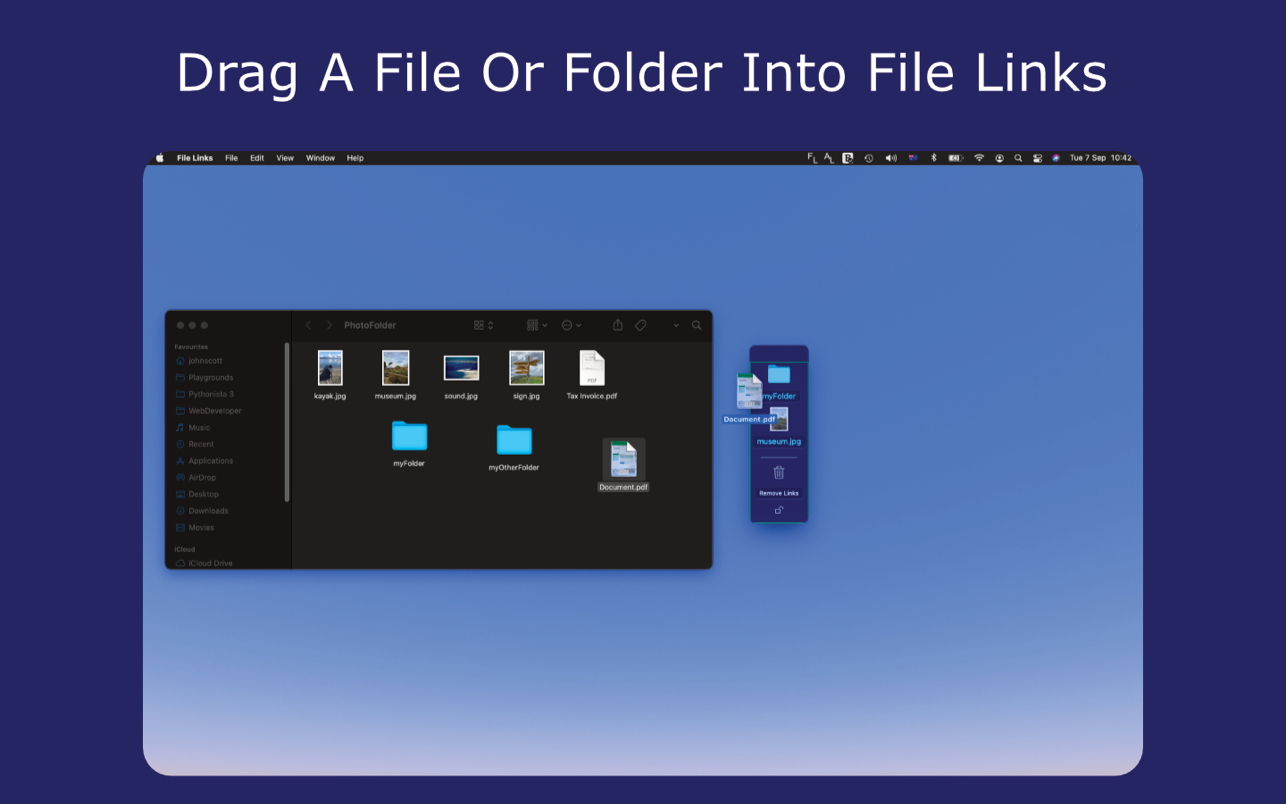
If you work with multiple files and folders, drag your files or folders into the File Links window.
File Links creates shortcuts to your files, but does not move them from their original location.
Dragged to the side of the screen, switch quickly between your chosen files.
• Just drag and drop a file or folder into File Links to create a shortcut to the file.
• Drag applications into File Links from your applications folder to create a desktop link to your app. This creates a desktop window allowing quick access to your apps, as well as files and folders, from your desktop. The application remains in your applications folder, and is not moved.
• File Links remembers your shortcuts list even after closing the app.
• File list can be quickly shown or hidden from your desktop by clicking on the status bar ‘FL’ icon.
• Pin File Links to any screen corner to optimise screen space.
• Customise File Links using the preferences menu.
WHAT’S NEW
Version 1.04:
• Manual File Links window resizing and scrolling can be enabled
REQUIREMENTS
• Intel, 64-bit processor
• macOS 11.0 or later
ScreenShots
If you are using Adblocker!! Please support this website by adding us to your whitelist. Ads are what helps us bring you premium content! Or read this to know how you can support us. Thank you!
Size
– 2MB
Related apps






Screenshots