Espresso
Espresso is back. For people who make delightful, innovative, and fast websites -- in an app to match. Espresso helps you write, code...
Description
Espresso is back. For people who make delightful, innovative, and fast websites — in an app to match. Espresso helps you write, code, design, build, and publish with flair and efficiency. Sophisticated text features, amazing Live Preview with Browser Xray, CSSEdit tools, the Navigator, Dynamo auto-building, and Server Sync. Whether you’re starting from scratch or tweaking a live site, Espresso has you covered.
Features
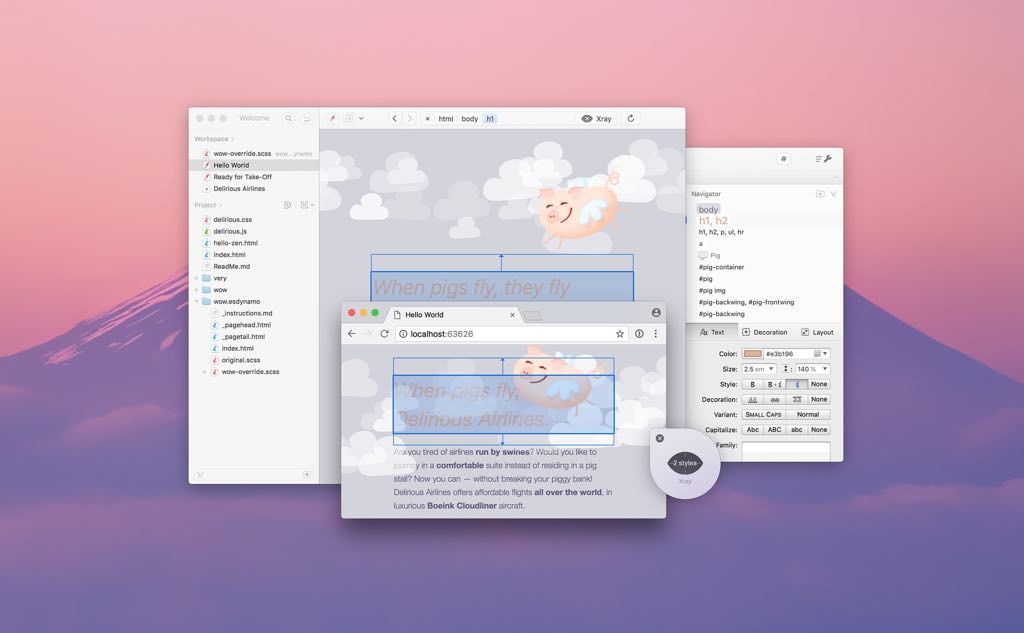
• Browser Preview and Xray – Local project? Enjoy the best auto-refresh in the business. Xray your page layout to quickly edit relevant styles. The best part? It works in Chrome, Firefox and Safari (including Technology Preview).
• Overrides with Live Styling and Xray – Change CSS for live sites and see your design update in real-time. No need to publish, reload or even save. Only Espresso makes playing with live projects this fun, easy and non-destructive.
• CSSEdit Tools for Supercharged Style Sheets – The new Espresso lets you build first-class standard CSS, but also modular SCSS and LESS. Styling is a joy with the beautiful Navigator, auto-building by Dynamo and incredible integration with Live Preview and Overrides.
Our award-winning CSSEdit visual tools and code formatting live on inside Espresso, with frictionless editors for colors, gradients, shadows, layouts and more – available for standard and dynamic CSS. Everything just works.
• Zen Snippets – Zen shortcuts let you combine and expand abbreviations based on tags and custom snippets.
• Toolbar Favorites – Customize your toolbar with contextual actions, snippets and menus for quick access.
• Re-Indent – Bye-bye, messy code. Apply custom spacing by example. Works for HTML, CSS and JavaScript.
• Templates – For files, folders or projects. Use a built-in one, or save your reusable bits. A real time-saver.
• Workspace – Now with the flexibility of tabs while integrating even more smoothly with your project files.
• Open Quickly – Switch between documents without taking your fingers off the k






Screenshots