Dynaper
Create your own dynamic desktop wallpaper (time-shifting/solar-shifting/light&dark) on macOS Mojave & Catalina & Big Sur. Full-support of...
Description
Create your own dynamic desktop wallpaper (time-shifting/solar-shifting/light&dark) on macOS Mojave & Catalina & Big Sur. Full- support of wide-gamut colors for photographers.
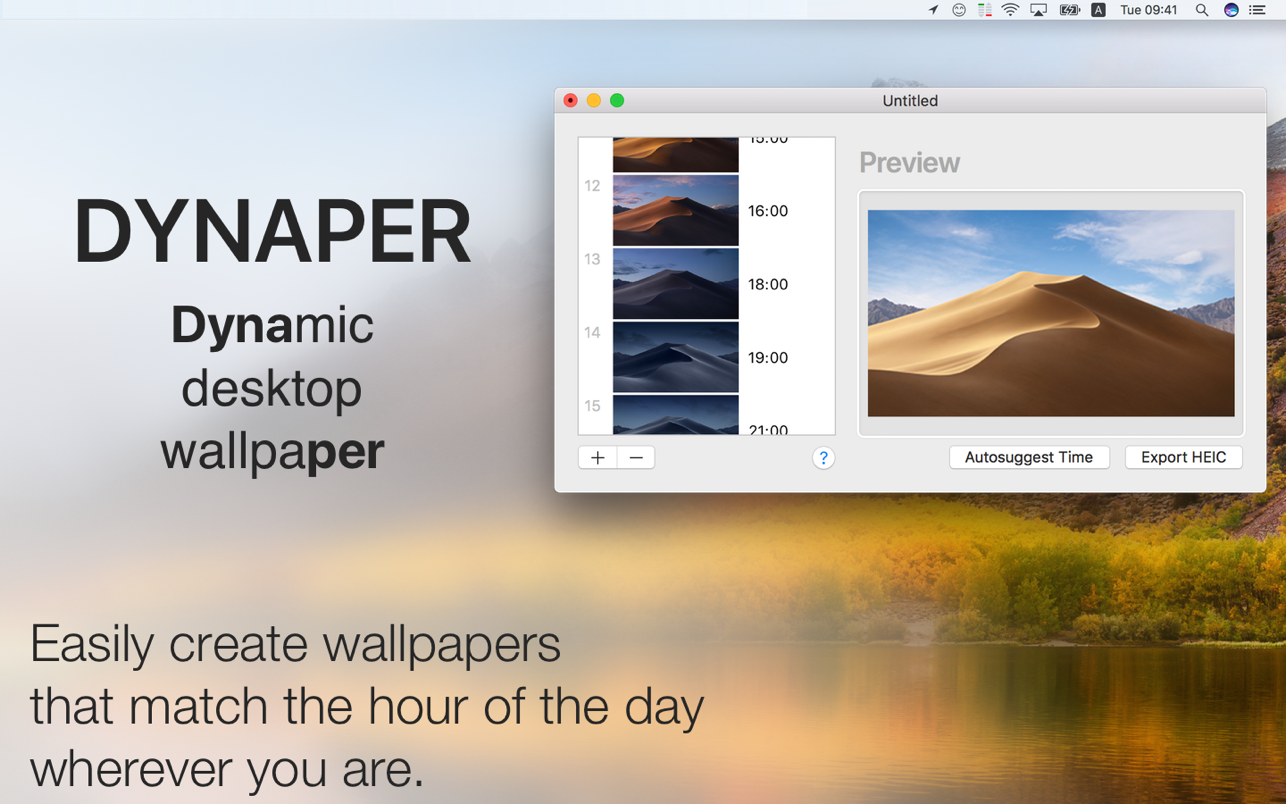
Dynaper makes it easy to create a native time/solar-shifting/light&dark HEIC wallpaper that changes throughout the day. Wallpapers made by Dynaper are supported by macOS Mojave & Catalina & Big Sur and can be set as wallpaper in System Preferences.
Simply drag & drop your images and change the display time for each image. Dynaper will change time automatically if the image contains EXIF metadata or contains a time suffix in the filename. For a quick time change using the autosuggest feature. For solar-shifting wallpaper run Solar Wizard where you can export it.
Dragging an image out of Dynaper will create a time-shifting text that contains normalized time and parameters that one can use for manual HEIC creation.
Helper tools :
• time helper (convert time to normalized time)
• solar helper (convert location to solar data: altitude and azimuth)
• solar wizard (convert many locations to solar data: altitude and azimuth)
• HEIC metadata (view HEIC metadata used for wallpaper display)
• Create Light and Dark Wallpaper (wallpaper that automatically adapts to appearance change)
• strip still images helper (removes Dark/Light appearance metadata from dynamic wallpaper image)
Solar Wizard is accessible from the top menu (Utilities-> Solar Wizard).
Automatic Time Detector :
To save your time Dynaper automatically recognizes timestamps in your filename or metadata. If your filename doesn’t have a valid time Dynaper will look at EXIF metadata (date of creation) to find a valid time. Just append your filename with suffix HH_mm, where “H” represents the hour and “m” represents the minute.
The 24-hour format is being used for detection and the last 5 characters of the filename are being checked.
Example of valid filenames :
image001_16_45.jpg
image001_16_45
screenshot
_16.45.05.jpg
screenshot
_1
Editor-checked details
Recommended for photographers and illustrators who want native macOS day/night wallpapers without hand-authoring HEIC parameters. A dependable release workflow is: normalise dimensions, orientation, ICC and filenames; maintain a frame inventory and HH:mm schedule; run autosuggest, then audit every frame; define explicit midnight and Light/Dark fallbacks; record location, timezone and representative seasons for Solar; export a high-quality master plus a validated compressed daily copy; cross real transition points on Intel and Apple-silicon test Macs; verify restart, wake, every display and multiple Spaces; inspect colour/crop outside thumbnails; record file size, SHA-256 and approval date before distribution. For a simple two-image appearance set compare Equinox; for browser-based generation consider Dynamic Wallpaper Club; video, interaction or managed-fleet policy needs a dedicated engine or management solution.
Pros
- It combines clock, solar-position and Light/Dark native wallpaper authoring in a drag-and-drop interface without hand-writing HEIC metadata. Filename/EXIF time detection accelerates setup while every frame remains adjustable, fitting photographic timelapses, illustrated day/night sets and branded desktops. Solar Wizard converts locations to altitude/azimuth data, and helper tools inspect HEIC metadata. Wide-gamut support, compression and still fallbacks balance colour, file size and non-dynamic display states. Output is native macOS HEIC rather than a continuously rendered video. Official history confirms Apple-silicon support, while Intel Macs are also supported. Autosuggest gives a fast draft but preserves manual control.
Cons
- It is a HEIC wallpaper builder, not a live-video, interactive or audio wallpaper engine; macOS switches discrete frames rather than producing continuous animation. Playback depends on Wallpaper settings, cache, timezone, location and multi-monitor behaviour, so a successful export does not guarantee identical results on every Mac. Automatic detection is only as reliable as filename/EXIF data; mixed dimensions, profiles or orientation can cause ordering, crop and colour errors and require frame-by-frame review. High-resolution multi-frame HEIC files can be large, while compression can introduce banding or lost detail. Solar projects need accurate location and seasonal validation. Some capabilities use in-app purchases, so free-output limitations should be checked before production. There is no team approval, asset versioning, batch QA report or fleet deployment system.
Installation steps
- The site build is Dynaper 1.5.6. Its official history identifies Apple-silicon support, and the current store listing requires macOS 12 or later. Start with copies of equal-size test images in chronological order. A filename suffix such as dawn_06_30.jpg supplies HH_mm time; Dynaper can also read EXIF creation time. Drag images in, verify order, resolution and colour space, then use autosuggest or set every frame time manually. Choose time-shifting for a clock schedule, Utilities > Solar Wizard for altitude/azimuth behaviour, or Create Light and Dark Wallpaper for appearance switching. Select still light/dark fallback frames and HEIC compression before exporting to a test folder. Add the HEIC in macOS Wallpaper settings and confirm Dynamic mode. Test across an actual transition, login, wake, multiple displays, appearance changes and restart. Validate once in another account or test Mac, then record source inventory, schedule, export settings, file size and final SHA-256.
Uninstallation steps
- Before uninstalling, retain the final HEIC, source inventory, frame times/solar parameters, compression setting, still fallbacks, display configuration and SHA-256. Keep original images if the wallpaper may need rebuilding. Change every display, Space and user account to a normal static wallpaper in System Settings first. Quit Dynaper and remove it from Applications; only then clear preferences/container data if desired, taking care not to delete user-exported HEIC files or sources as though they were cache. Hash-check retained copies before removing test exports and duplicates. Uninstalling does not remove exports from the wallpaper library, cloud storage, backups or other accounts, and cannot restore an overwritten output; handle each location separately.
Common errors and fixes
- If the wallpaper does not change, confirm macOS selected Dynamic rather than Light, Dark or Still, then cross a real schedule point; Finder preview does not prove scheduling. For wrong order/times, standardise timezone, validate the final five filename characters as HH_mm, remove conflicting EXIF dates and review every frame; a duplicate last frame at 00:00 can preserve midnight continuity. For unexpected Solar behaviour, verify location, timezone, date, altitude and azimuth with representative seasons. If export fails or HEIC is huge, use consistent dimensions/colour space, a writable destination and enough disk space; lower compression quality and isolate bad sources in smaller batches. For banding or colour shifts, normalise ICC profiles and compare source versus HEIC outside thumbnails. Configure each monitor separately and test wake/restart. If macOS caches an old image, rename the file, remove/re-add it and restart System Settings or Dock. Autosuggest is only a convenience; manually audit every frame before release.
What changed in this version
- The official history dates Dynaper 1.5.6 to 17 February 2023. It introduced an icon design updated for Big Sur, Monterey and Ventura; the Create Light and Dark Wallpaper window now opens at launch by default and can be disabled in Preferences; and Help gained a quick troubleshooting-wallpapers option. This build retains time-shifting, solar-shifting and light/dark HEIC creation, wide-gamut handling, EXIF/filename time detection, compression and still fallback frames. This review is pinned to 1.5.6 and does not mix in features from other releases.
File verification






Alternatives

Screenshots