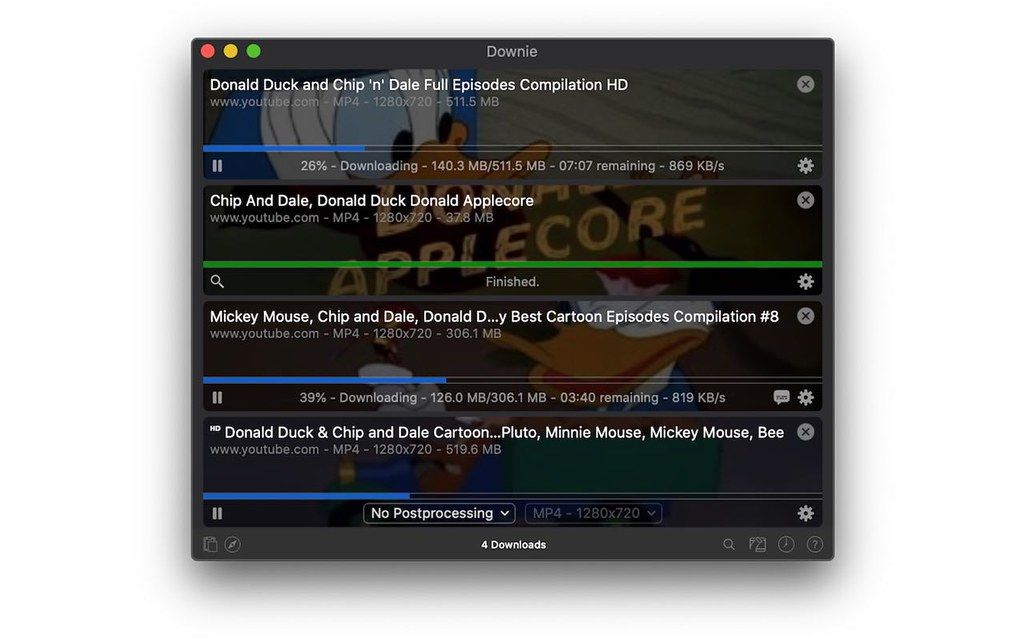
Downie
Downie is a super-easy-to-use video downloader, supporting YouTube, Vimeo, and over 490 other sites. It doesn't bother the user with a...
- Intel, 64-bit processor
- macOS 11.0 or later
Description
Downie is a super-easy-to-use video downloader, supporting YouTube, Vimeo, and over 490 other sites. It doesn’t bother the user with a plethora of options – it just does its job!
Features:
• Supports many sites – currently supports over 490 different sites (including YouTube, Vimeo, etc.) and the number is rapidly growing.
• 4K video YouTube support – unlike many other YouTube downloaders, Downie supports HD video on YouTube, up to 4K.
• Postprocessing – need your video in MP4 for iTunes? Or want just the audio track? No problem, Downie can handle this for you automatically!
• Quick support – I respond to emails usually within 24 hours and often add support for requested sites in the next update.
• Frequent updates – Don’t wait weeks for new sites to be supported, or bugs to be fixed! Downie is updated about once a week with new features, sites supported, etc.
• International – not only that Downie supports country-specific sites, it is localized. If your language is missing, contact us – we can offer you a free license in exchange for a translation.
If your favorite site isn’t listed, just let us know at http://support.charliemonroe.net/ – we’ll do our best to include it in the next update!
WHAT’S NEW
Version 4.12.14:
• New: premierleague.com
• Improved: brightcove.com, instagram.com, ted.com, tiktok.com, youtube.com
REQUIREMENTS
• Intel, 64-bit processor
• macOS 11.0 or later
ScreenShots
If you are using Adblocker!! Please support this website by adding us to your whitelist. Ads are what helps us bring you premium content! Or read this to know how you can support us. Thank you!
•
Size
– 55.6MB
Previous Versions
Editor-checked details
Recommended for Mac users who regularly save authorized public videos, course material or their own media and want a polished interface for quality, subtitles and queues. Compare yt-dlp for a free command-line workflow, or PullTube and 4K Video Downloader for other GUIs. Verified from the developer site, help center and release notes
Pros
- Supports thousands of sites; easy paste, drag-and-drop and browser-extension workflows; quality, subtitles and audio choices; batch queues, synced history and customizable post-processing.
Cons
- macOS-only and paid; site changes can temporarily break extraction; login, DRM or regional restrictions may prevent downloads; advanced conversion commonly relies on Permute.
Installation steps
- Downie 4 requires macOS 11 or later; the developer strongly recommends macOS 13+.
- After installation, paste or drag a video URL into Downie, or install its browser extension from Settings to send the current page with one click.
- Choose the destination, quality, subtitles and post-processing options first. Download only content you are authorized to save.
Uninstallation steps
- Quit Downie and move it from Applications to Trash.
- For a full cleanup, remove the Downie browser extension and inspect its preferences, caches and container data in your user Library. Preserve your license details, history and downloaded files before deleting data.
Common errors and fixes
- Link cannot be parsed: update Downie, try User-Guided Extraction, then report the URL through the in-app support dialog because sites change frequently.
- YouTube fails or waits: use the latest build, review token/experimental settings and avoid creating excessive jobs quickly.
- Login is required: follow the official browser-extension or User-Guided Extraction workflow; never give credentials to unknown scripts.
- Post-processing fails: check free space, destination permissions, subtitle/format compatibility and Permute settings.
What changed in this version
- No verifiable itemized 4.12.11 note is public. Record version/SHA-256 and retest URL recognition, quality/subtitles, queue, resume, post-processing and restricted-content handling per supported site.
Related apps






Alternatives


Screenshots