Disk Map
Disk Map makes it easy to visualize the files and folders that are cluttering up your storage drives. It enables you to quickly locate...
- Intel, 64-bit processor
- macOS 12.4 or later
Description
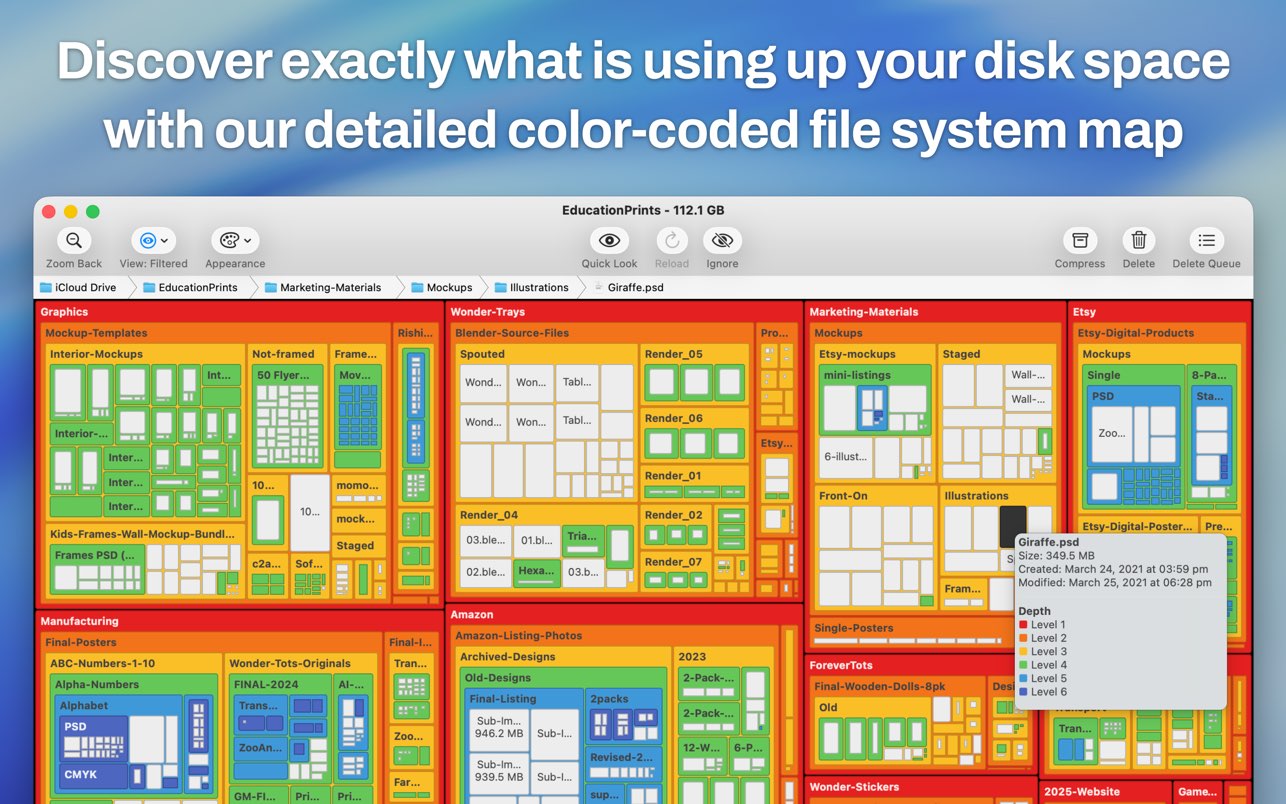
Disk Map makes it easy to visualize the files and folders that are cluttering up your storage drives. It enables you to quickly locate, delete or compress large files and folders on your hard drive and reclaim valuable space.
The app quickly scans your drives to build a stunning treemap visual display of files and folders on your computer, allowing you to easily navigate through your file system and find out what is taking up the most space.
Key Features:
• A gorgeous retina-optimised UI design
• Support for scanning both internal and external hard drives (including selected folders within these drives)
• Zoom in/out of folders
• Open files/folders in Finder
• Quick Look support
• Five beautiful and pleasing treemap colour schemes to choose from
• Ignore specified file formats and folders
• Specify a minimum file
size
to scan for
• Compress files at the click of a button
• Delete items to Trash Can or permanently according to your
requirements
• Hide/Show system and hidden files via the app’s preferences
• Hit the Reload button to refresh folders without the need to perform a new scan
We’ve worked hard to make Disk Map as simple and efficient as possible for you to use. We would love to hear your thoughts via email and make any improvements to future versions of this app. We intend to have an active development cycle powered by your feedback, love and support!
WHAT’S NEW
Version 2.81:
• Small UI bug fix for older macOS versions
REQUIREMENTS
• Intel, 64-bit processor
• macOS 12.4 or later
ScreenShots
If you are using Adblocker!! Please support this website by adding us to your whitelist. Ads are what helps us bring you premium content! Or read this to know how you can support us. Thank you!
•
Size
– 9.7MB
Previous Versions






Screenshots