Clean Text
Clean Text is an application for those times when you have to paste some text copied from one document or application into another, and you want the text to...
Description
Clean Text is an essential tool for webmasters, graphic designers, developers and magazine editors to reduce text cleanup and editing time, and it is a very convenient tool for all Mac users that needs to cleanup and editing text from emails, documents, or other material.
Solve text problems with a couple of clicks
Clean Text quickly performs many essential text processing functions such as removing empty lines, removing unwanted spaces, converting tab characters, smart quotes, and more. In addition to this, smart tools let you solve with a single click, the most common cleaning problems of text found in email messages, documents and web pages.
Type on Mac and find the text on iOS
With Clean Text, you can write text on Mac and then find it on any iOS device. Thanks to iCloud, you will find in the device that you just picked up, exactly the text that you have just typed on Mac. Just use the iCloud menu to send or receive the text via iCloud. Clean Text for iOS requires a separate purchase.
Live search
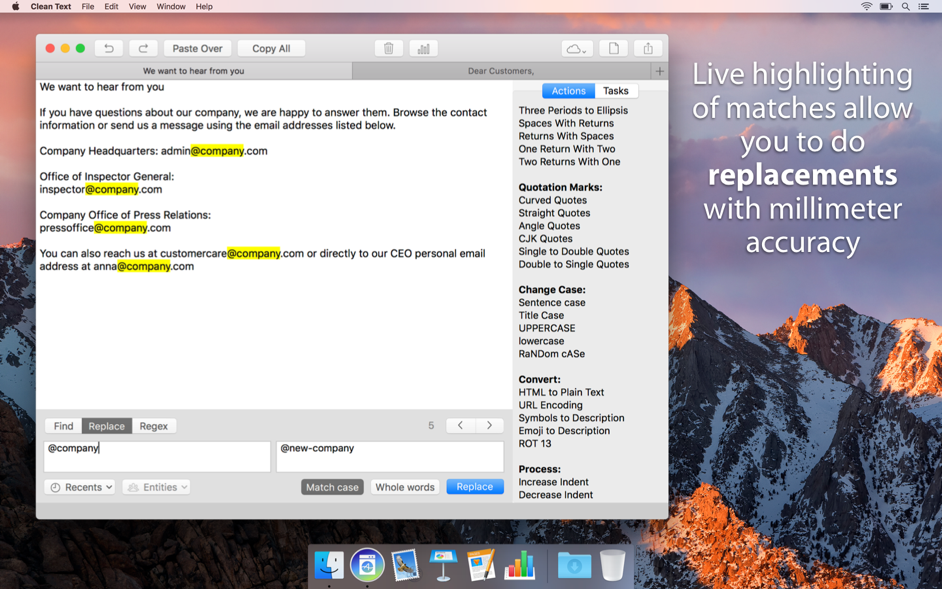
While you type in the search box all occurrences within the text will be highlighted to give you a complete picture, then with the Select Next and Select Previous buttons you can gradually select instances to edit or change them. Also Ignore Case, Contains, Starts With and Full Word, act immediately on the highlighted text and will allow you to do the replacements with millimeter accuracy.
Natural Language Processing
Clean Text takes advantage of Apple’s Core ML, a new foundational machine learning framework to deeply understand text. The new Entities functionality of the app uses machine learning and natural language processing (NLP) to instantly identify and select personal names, place names and organization names mentioned in the text.
Automate repetitive tasks
Easily create automated tasks that perform a series of processing actions and replacements in the text. Creating tasks is within everyone’s reach, and if you’re an advanced user, you can also includ
Related apps






Screenshots