BetterDisplay Pro
BetterDisplay (formerly BetterDummy) is a truly wonderful tool! It let's you convert your displays to fully scalable screens...
Description
BetterDisplay (formerly BetterDummy) is a truly wonderful tool!
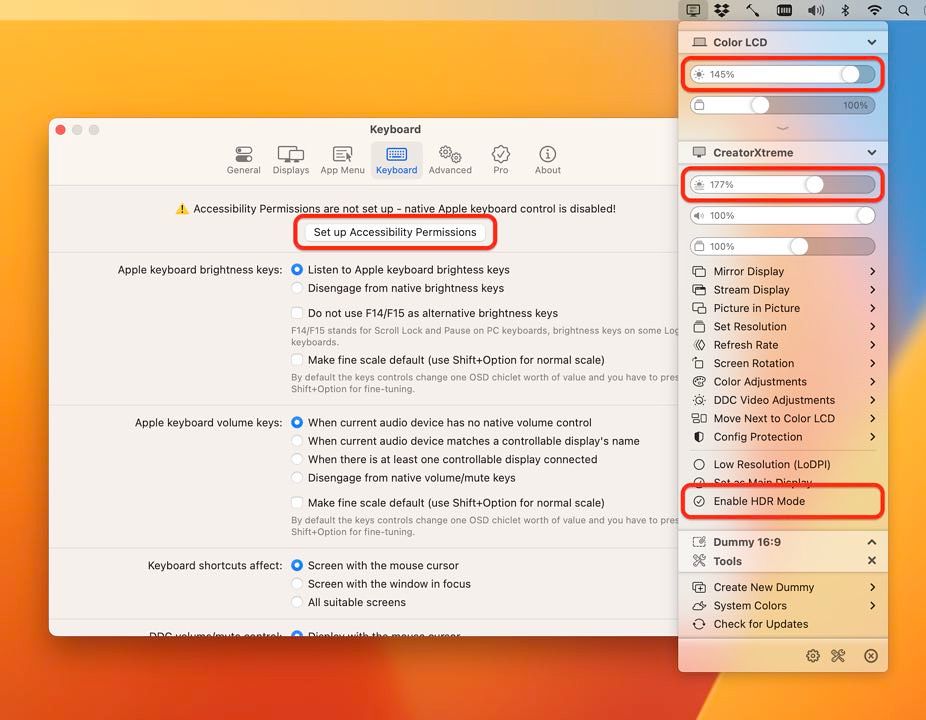
It let’s you convert your displays to fully scalable screens, allows brightness control, provides XDR/HDR upscaling (extra brightness beyond 100% on compatible displays), full dimming to black, helps you create and manage virtual displays (dummies) for your Mac, create Picture in Picture windows of your displays and gives you a host of other features to manage your display’s settings easily from the menu bar.
Features :
• Convert your internal and natively connected external displays to smoothly-scaled HiDPI displays on Apple Silicon – now even without mirroring a dummy (displays with notch, HDR, HDCP, high refresh rate fully supported)! (Pro)
• Reach the full brightness potential of your XDR or HDR display! (Pro)
• Change the display’s brightness, volume and colors via software and hardware (DDC) control via sliders and native or custom keyboard shortcuts!
• Create custom HiDPI resolutions for real displays manually and redefine certain system display parameters!
• Create any number of dummies (virtual screens) with varying aspect ratios.
• Use headless Macs (servers) with any resolution and HiDPI mode for remote access.
• Create Picture in Picture window for any real or dummy displays. (Pro)
• Redirect your display’s contents (real or dummy) to an other screen via streaming. (Pro)
• If you are using a big TV up close, use the bottom half of your TV as a wide screen display (off-center streaming). (Pro)
• Scale Sidecar resolutions. (Pro)
• Portrait SideCar support. (Pro)
• Better quality zooming (System Preferences»Accessibility»Zoom) or High Quality
screenshots
even on 1080p displays
• Easily change the resolution of your real and dummy displays via a slider (or submenu) from the menubar.
• Quickly accessible refresh rate and screen rotation menu.
• Simplify creating mirrored sets. (Pro)
• Easily move around displays relative to each other using the app menu.
• Quickly designate a display to be mai






Screenshots