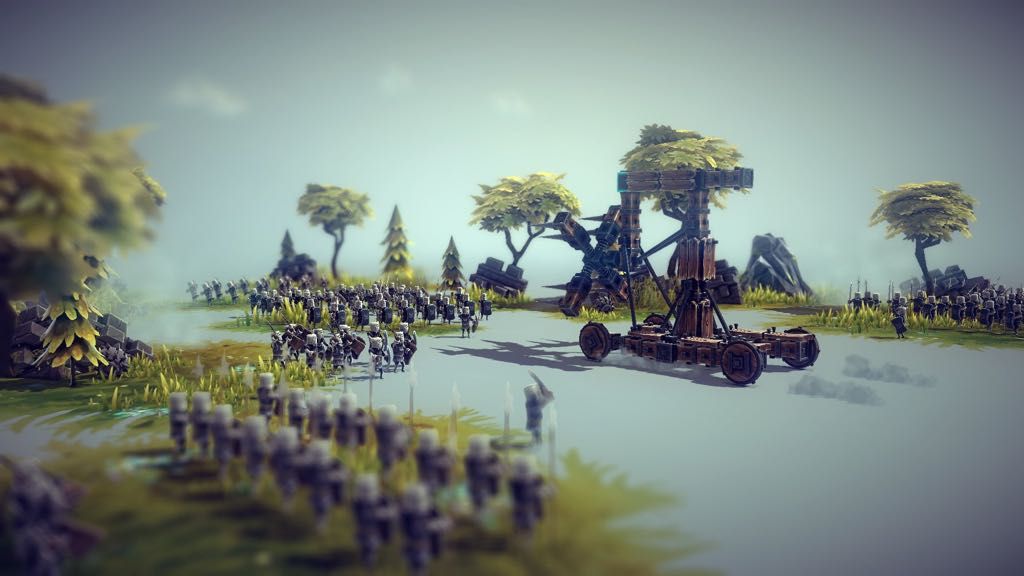
Besiege
Besiege is a physics based building game in which you construct medieval siege engines and lay waste to immense fortresses and peaceful...
- Intel, 64-bit processor
- macOS 10.13 or later
Description
Besiege is a physics based building game in which you construct medieval siege engines and lay waste to immense fortresses and peaceful hamlets.
Build a machine which can crush windmills, wipe out battalions of brave soldiers and transport valuable resources, defending your creation against cannons, archers and whatever else the desperate enemies have at their disposal. Create a trundling behemoth, or take clumsily to the skies, and cause carnage in fully destructible environments.
Ultimately, you must conquer every Kingdom by crippling their castles and killing their men and livestock, in as creative or clinical a manner as possible!
Minimum System
Requirements
:
• Processor : 2.2Ghz Dual Core
• Memory : 2 GB RAM
• Graphics : OpenGL 2.0 compatible, 512 MB VRAM
WHAT’S NEW
Version 1.91:
• Release notes are available here .
REQUIREMENTS
• Intel, 64-bit processor
• macOS 10.13 or later
ScreenShots
If you are using Adblocker!! Please support this website by adding us to your whitelist. Ads are what helps us bring you premium content! Or read this to know how you can support us. Thank you!
•
Size
– 2.56B
Previous Versions
Editor-checked details
Recommended for players who enjoy construction, iteration, physics destruction and sharing machines. Learn centre of mass, symmetry, steering and key groups on a four-wheel chassis; add one moving mechanism at a time and save incremental blueprints. Use slow simulation to locate stress in complex machines. In 1.77, batch identical blocks with multi-select Keymapper and use velocity anglometer mode for air/water direction. Safe order: backup; 1.77/SHA-256; unmodded small machine; built-in level; multi-map; water/cannon; blueprint copy; editor; mods one by one; multiplayer.
Pros
- It connects engineering, physics experiments and destruction objectives directly: a wheeled cart, catapult, aircraft or water machine can solve the same level differently. Paused building, copy, symmetry, key groups and slow simulation make iteration cheap, while destructible environments immediately expose structural success. Campaign gives constraints; sandbox, level editor, multiplayer and Workshop provide long-term creativity. Version 1.77 multi-edit/tooltips materially improve large-machine work. All five target languages have official interface support.
Cons
- Physics-sandbox freedom also means tiny joint, collision or centre-of-mass changes can cause sudden failure that is not always reproducible. Large machines, many moving blocks or fire load CPU/GPU heavily; multiplayer and complex mods amplify desync/crash risk. Level objectives are simple, so long-term value depends on self-directed design, editor and community. Mods are changeset-sensitive and old blueprints may lose blocks/controls. Mac requirements are broad and old with no Apple-silicon matrix; high-refresh options do not replace performance validation.
Installation steps
- This page covers Besiege 1.77. Steam’s Mac minimum is OS X 10+, 2.2 GHz dual core, 4 GB RAM, OpenGL 2.0/512 MB VRAM and 3 GB storage; recommended is 4 GHz quad core, 8 GB, 3 GB VRAM and 5 GB. The channel specifies macOS 10.13+ and about 1.64 GB. No Apple-silicon matrix is supplied. Back up Steam Cloud, campaign, machine blueprints, bindings, skins, level-editor maps, Workshop subscriptions and mods, then record 1.77/SHA-256. Disable mods and use a small wheeled machine to validate building, symmetry, key mapping, simulation, save/load and level completion before testing water, cannons, multi-edit, level editor and Workshop.
Uninstallation steps
- Before uninstalling, stop simulation, return to build mode, save machine blueprints and level-editor maps, then wait for Steam Cloud from the menu. Do not force-quit during physics, autosave, Workshop download or multiplayer sync. Export critical blueprints and record campaign, key groups, skins, mod versions/changesets, 1.77/SHA-256 and Steam account. After reinstalling, keep mods disabled, open a copied blueprint and finish one built-in level before restoring skins, editor maps and Workshop mods one at a time. During cloud conflict preserve copied local files with verified newer timestamps.
Common errors and fixes
- If a machine twists or explodes on start, inspect symmetry, hinge direction, wheel steering, connection strength, centre of mass and self-collision; slow simulation and isolate blocks. For low FPS on large machines reduce moving blocks, particles/fire, quality and FPS cap, then compare VSync; a 240 Hz option does not mean every Mac can sustain it. For control conflicts use 1.77 multi-select Keymapper, inspect the last-selected settings/conflict markers and avoid opposite actions on one key. For sinking water machines follow the new tutorials and check buoyancy, sealing, thrust direction and mass. If an old mod errors, ensure its minChangeset/maxChangeset includes the current build, disable it, then load the blueprint. Diagnose black screen/crash with an unmodded small machine, OpenGL support and file verification.
What changed in this version
- Official Better Tools 1.77 (changeset 24433), dated February 26, adds multi-block Keymapper editing, unified tooltips/stats, water tutorials, initial/gravity/velocity anglometer modes, Ctrl+MMB pick-block, searchable option dropdowns, “machine skins only” and “last used” paint filters, FPS choices up to 240 Hz and VSync. Steering speed is unified, Water Cannon/Cannon max power becomes 3x, fixed-camera height reaches ±90°, speedometer minimum becomes 0 and graphics gets its own tab. It fixes non-Steam scoreboard errors, Ctrl+Backspace text mapping and skin-folder names. Mods gain minChangeset/maxChangeset, useMipMaps and multi-select custom-mapper controls.
File verification






Screenshots