Autopano Giga
Autopano Giga 4.4 - allows you to stitch 2, 20, or 2,000 images. Version 3.0 integrates impressive new features that will definitely make you adopt...
Description
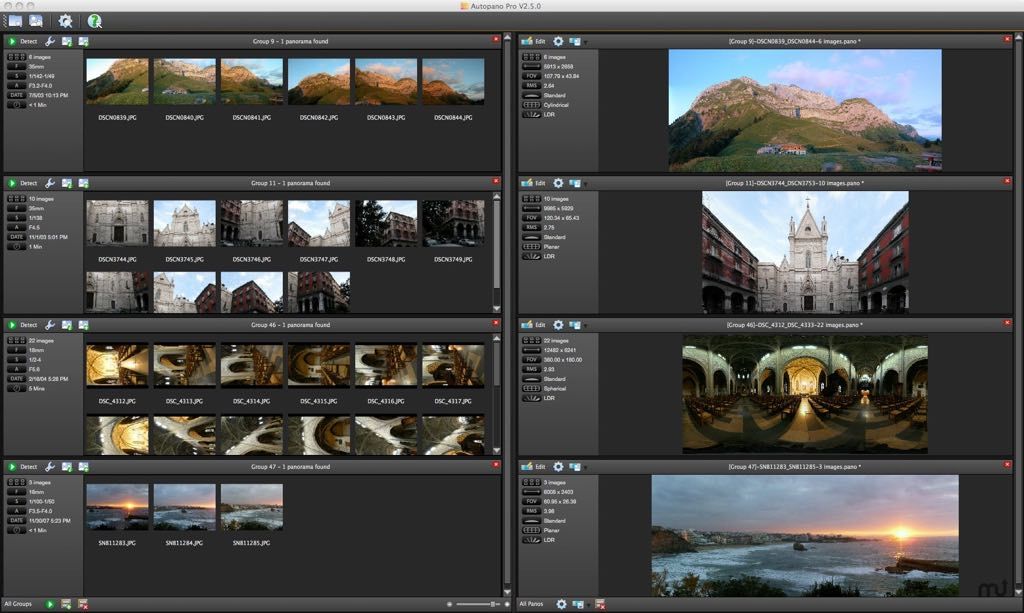
Autopano Giga allows you to stitch 2, 20, or 2,000 images.
Version 3.0 integrates impressive new features that will definitely make you adopt Autopano Pro or Autopano Giga:
• Choose between 9 projection modes the one that best suits your image, including Little-Planet, Panini, Hammer, Mirror Ball, Orthographic and more.
• Edit your panoramas with an exceptional efficiency: the panorama editor is now real-time and pixel accurate. The ergonomics have been totally revamped, so that all tools take advantage of the real-time editor.
• Use the Preview mode to get an instant visualization of your final panorama, before even rendering it. You can keep this mode on when you use all the tools of the panorama editor.
• Manually remove the ghosts in the overlapping areas in an instant thanks to the Mask tool. Also very useful to remove the tripod, or get rid of anything in your panorama (Autopano Giga only).
WHAT’S NEW
Version 4.4:
MAIN CHANGES :
• The 4.4 is the new version of Autopano Pro/Giga. We worked on some nice features especially macOS Sierra 10.12 support and better UX/UI for the control point editor. It comes with a lot of bug fixes. The lens and camera database has also been updated. See list below.
MACOS SIERRA 10.12 SUPPORT :
• We worked to make Autopano Pro/Giga compatible with macOS Sierra 10.12. There were issues with the settings and the panorama detection. These have been fixed.
CONTROL POINT EDITOR – UX/UI IMPROVEMENTS :
• You can now rotate your images by 90° increments, clockwise or counter-clockwise, direcly into the control point editor. This can be really helpful for tough stitching especially when the camera postions are not the same from one image to another. See documentation.
BUG FIXES AND FEATURES SINCE 4.2.3.400 :
• KOI-330: Wrong panorama detection according to groups or stacks creation
• KOI-312: Float settings not saved properly on MacOS sierra
• KOI-310: As a user, to be more effective, I want to be able to rotate preview in CP edito
Related apps






Screenshots