Audio Hijack
Audio Hijack drastically changes the way you use audio on your computer, giving you the freedom to listen to audio when you want and how....
- Intel, 64-bit processor
- macOS 14.4 or later
Description
Audio Hijack drastically changes the way you use audio on your computer, giving you the freedom to listen to audio when you want and how you want. Record and enhance any audio with Audio Hijack – it’s the cornerstone of your digital audio experience.
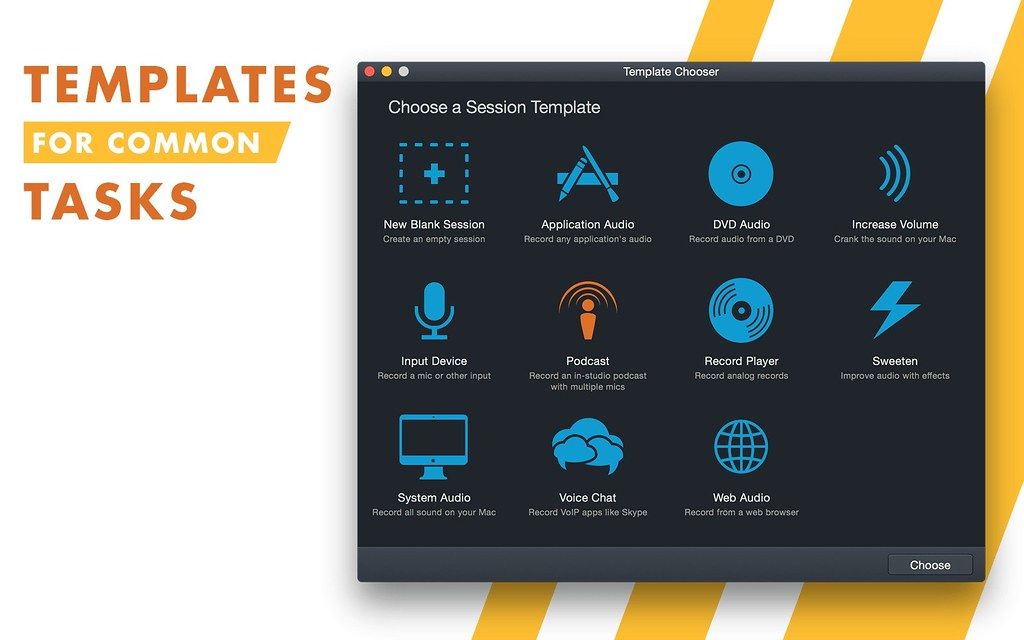
Audio Hijack will allow you to record any application’s audio, from Internet streams to DVD audio and everywhere in between. If your machine can play it, Audio Hijack can record it. And that’s not all – Audio Hijack will also enhance any audio, unsing industry-standard VST and AudioUnit audio effects to make your music sound incredible. Record. Enhance. Enjoy!
WHAT’S NEW
Version 4.6.0:
Preliminary Support for MacOS 27 (Golden Gate) Betas
• Audio Hijack no longer warns on launch when run on MacOS 27 (Golden Gate). There are no known issues on Golden Gate at present.
• Do note that Apple’s betas remain in flux. We always encourage users to stick with official (non-beta) OS releases for the best experience.
Updates for the “Transcribe” Block
• The built-in “Transcribe” block has been enhanced with a new “Recommended” transcription model, as well as enhancements provided by updating the Whisper.cpp backend from version 1.7.4 to 1.9.2.
Yandex Telemost VoIP Capture Support
• Yandex Telemost is now supported as a VoIP audio source, making it easy to record both halves of a conversation.
• When a recording is in progress, certain menu options will now correctly disable in the “Actions” and contextual menus.
• A host tempo sync has been added for Audio Units that require it for operation, such as Audiomodern’s “Panflow”.
• A very rare error importing Audio Hijack 3 presets that reference a source app that is missing on disk has been fixed.
Easier Access to Test Releases
• It’s now easier to be notified about pre-release versions of Audio Hijack. In the “Settings” window, you can adjust the new “Check for” menu from its default “Official Releases” option to “Official and Test Releases”. More details on test releases






Screenshots