ApolloOne
ApolloOne is designed from the ground up as a fast, efficient, and feature-rich media viewer. It uses advanced operating-system features...
Description
ApolloOne is designed from the ground up as a fast, efficient, and feature-rich media viewer. It uses advanced operating-system features such as multi-threading, Grand Central Dispatch, and Core Image graphics to ensure app responsiveness.
Features
• Rapid viewing of all photos/videos in the folder and subfolders by simply double clicking on a single photo anywhere on the system (once you have granted drive access)
• Ultra-fast camera RAW preview engine
• Rotate, mirror, flip photos and video instantly
• Fluid swipe photo viewing mode with trackpad and Magic Mouse support (just like you would view photos on the iPhone or iPad)
• Supercharged EXIF inspector with comprehensive information; you can change font
size
or perform quick search on the information on this screen
• Powerful slideshow function with 12 GPU-accelerated transition effects and many user configurable options; slideshow runs on full screen or in a window(1)
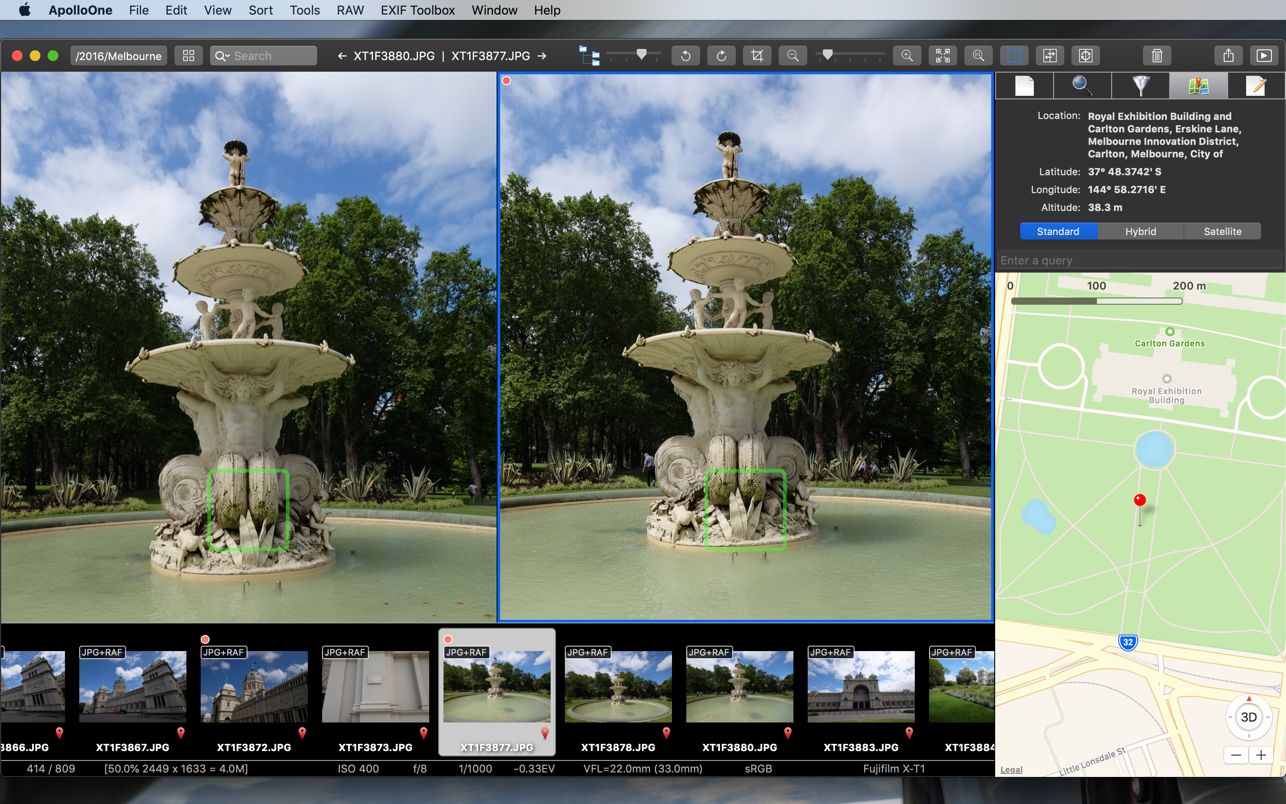
• Locate actual address by using GPS coordinates embedded in JPEG, RAW or video files; you can update (or add) GPS coordinates by simply dragging the pin to another location on the map
• Display camera AF points and detected faces and magnify them for checking focus and cycle through them quickly (on supported cameras)
• Tag and rate files for copy / move / trash operation; you can tag or rate files quickly using keyboard shortcut keys; file rating uses IPTC/XMP compatible Rating field
• File filtering and sorting with 2-level sort key
• Sharing with Facebook, Twitter, Sina Weibo, etc., and AirDrop
• User customizable toolbar
• Context menu for frequently accessed functions and the ability to send the photo or camera RAW file to an external editor
• Spotlight indexing of photos, with address location and user selectable EXIF info for indexing; photos can be searched quickly via Finder
WHAT’S NEW
Version 3.1.4:
• NEW! Import Files Toolbar button.
• NEW! Option to eject memory card when finished importing files.
• Performance improvement for o
Related apps






Screenshots