AnyMP4 DVD Ripper
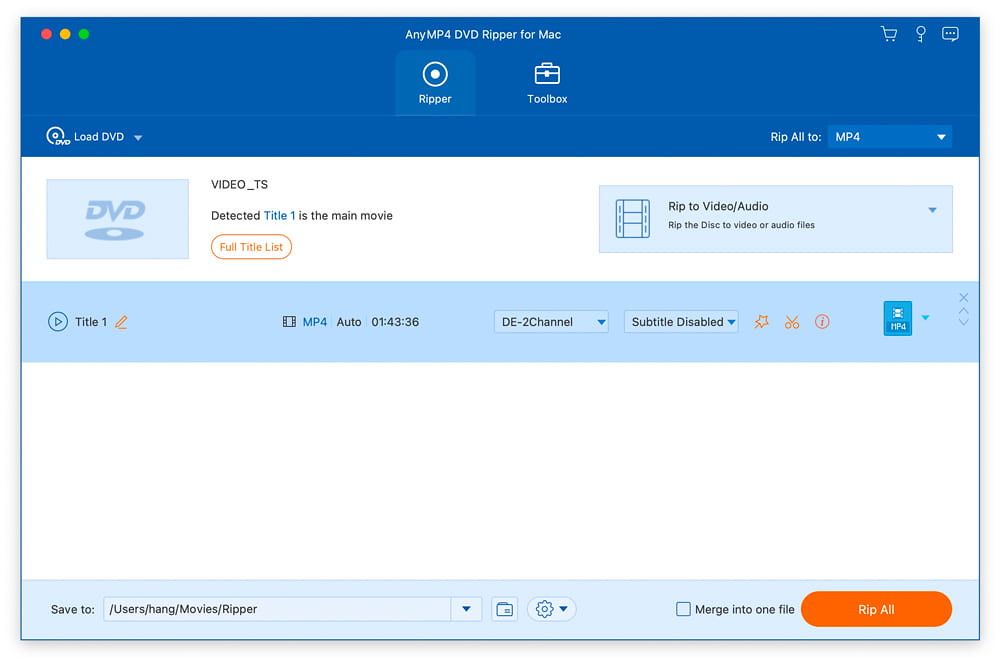
AnyMP4 DVD Ripper for Mac is capable of converting almost all DVDs including copy-protected DVDs to popular SD or HD video formats...
- Intel, 64-bit processor
- OS X 10.10 or later
Description
AnyMP4 DVD Ripper for Mac is capable of converting almost all DVDs including copy-protected DVDs to popular SD or HD video formats, such as MOV, AVI, MPEG, MP4, WMV, FLV, MKV, 3GP, VOB, DivX, and ASF, etc. on Mac at super fast speed. With just a few clicks, you can convert the DVD to your favorite video, so you can play and enjoy your DVD at home with a variety of devices.
If you only want the audio of a DVD for your smartphone or at home with the computer, you can extract the audio track from DVD files. This DVD Ripper for Mac software can help you. It can rip DVD to popular audio formats including MP3, WAV, OGG, M4A, WMA, AC3, and more on Mac OS X with high ripping speed and quality. With this Mac DVD Ripper software, you can listen to the music in a simpler way.
With this DVD Ripper software for Mac, you can import and edit your DVD movies in video editing software, such as iMovie, iDVD and Final Cut Pro and so on. Then you are able to convert your DIY DVD movies to iPad (iPad Air, iPad mini), iPhone (iPhone XS/XS Max/XR/X/8), iPod, Apple TV, Galaxy Tab, Surface, Google Nexus, HTC, Nokia Lumia Series, Motorola Xoom and other Android / Windows phones and so on.
AnyMP4 DVD Ripper for Mac lets you cut video length, merge multiple video clips, crop video image to remove black edges and unwanted parts. By the way, you can add text or image watermark to the DVD and rotate its position, transparency, and
size
. This Mac DVD Converter also provides you with extended setup functions. You can adjust video brightness, contrast, saturation and hue, adjust video parameters such as video bit rate, resolution, encoder, picture frequency, aspect ratio, and audio parameters like audio encoder, bit rate, sampling rate and channels.
With the built-in player, you can preview and compare the source and output video. You can also capture desired scenes of the DVD movie and save it as BMP, JPG or GIF format. In addition, as long as this program is connected to the Internet, DVD
Related apps






Screenshots