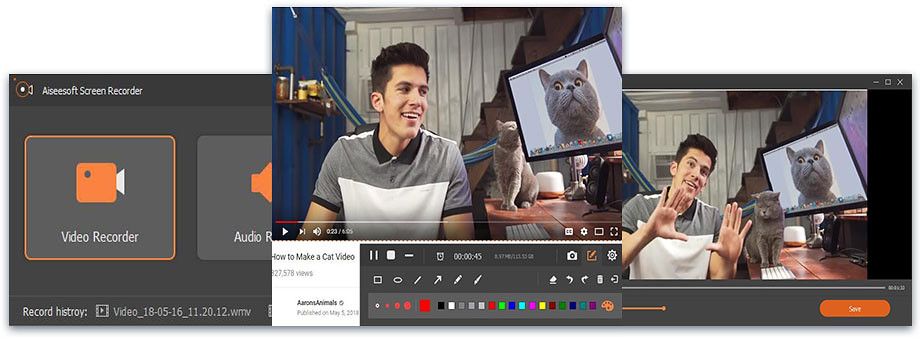
Aiseesoft Mac Screen Recorder
Aiseesoft Screen Recorder is the best screen recording software to capture any activity on Mac or Windows computer. It can work as a good...
Description
Aiseesoft Screen Recorder is the best screen recording software to capture any activity on Mac or Windows computer. It can work as a good video game recorder, Skype call capture, YouTube video recording app, and more to capture any area of your screen. While screen recording, you can edit video/snapshot and draw new labels to output
Whether you want to record YouTube videos, capture webcam calls, make teaching tutorials, save video gameplay, or record songs and take snapshots, this all-featured screen recorder can always be your best choice.
As a powerful screen recording software, Aiseesoft Screen Recorder enables you to record any screen video with ease. You can use it to capture online YouTube videos, games, podcasts, webinars, lectures, presentations, Skype calls, online conference, webcam videos, etc. in full screen or customized screen
size
.
While capturing screen, you can highlight the cursor movement to make it easier to track. Moreover, the “Blue-light” real-time HD video encoding technology can guarantee you excellent image and sound quality. Lock window capture feature allows you to keep recording activity on a certain window. So that the screen recording won’t bother other operations.
The captured video will be saved in MP4, WMV, MOV, AVI, GIF, TS, etc. for easily playback and sharing.
Aiseesoft Screen Recorder has the capability to only capture audio on your computer. This function enables you to record various music, radio or online audio instead of downloading them. You can save the recorded audio in MP3/WMA/AAC/M4A for easy playback.
• Record streaming audio : Record any streaming audio from system audio, so you can get exactly the original sound quality.
• Capture online audio : This audio grabber can save any online audio, including audio track in MV, voice in teaching videos and more.
• Record microphone voice : Choose microphone audio and turn off system audio to add oral explanation to your video presentation.
Taking snapshots is an






Screenshots