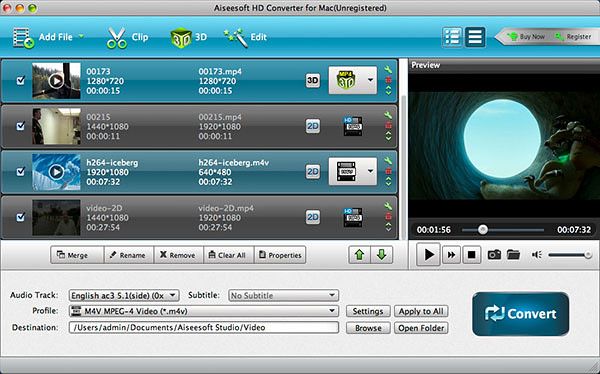
Aiseesoft HD Converter
The best Mac HD Video Converter software to convert HD movies on Mac to other video formats so they can be used on portable devices or by editing
Description
The best Mac HD Video Converter software to convert HD movies on Mac to other video formats so they can be used on portable devices or by editing software
• Convert HD videos to MP4/3GP/AVI SD and other HD formats on Mac
• Extract audio from any HD video
• Edit HD videos using the trim, crop, watermark and effect functions
• Fast HD video conversion speed and super-high quality output
Convert HD videos on Mac
Aiseesoft HD Converter for Mac converts HD video to HD video, HD video to SD video, and SD video to HD video. It supports HD formats such as AVCHD (MTS, M2TS), HD TS, HD MPEG, HD WMV, HD MPG, HD MP4, QuickTime HD MOV, HD H.264, HD RM video, etc. The software can change the format of a HD video for better compatibility with your DVD player.
It can convert HD video to standard definition video, resulting in a smaller file
size
, thus taking up less space on your Mac. It can even convert SD videos to be compatible with more devices.
Convert Audio Files and Extract Audio from Video
HD Video Converter for Mac is the solution to convert audio files and to extract audio from video files. Once you’ve converted your video files to audio, it becomes possible to enjoy them anywhere and anytime you like. The software allows you to convert HD videos to general audio files, such as MP3, AAC, AC3, MKA, AIFF and more. It also lets you convert HD movies to lossless audio, such as FLAC, WAV and WMA.
Edit Output HD Video Effects
HD Converter for Mac comes with multiple Edit functions allowing you to customize the total video effect. You can adjust the output video’s Brightness, Contrast, Saturation and Volume to your satisfaction. If you have problems getting the video to fit your player perfectly, use the “Crop” function to adjust the video play region.
Combine all selected files into one with the “Merge” option. Extract any time-length clips from the source file precisely with the “Clip” function. You can also add watermarks to protect your work.
Wonderful User Experi
Related apps






Screenshots